
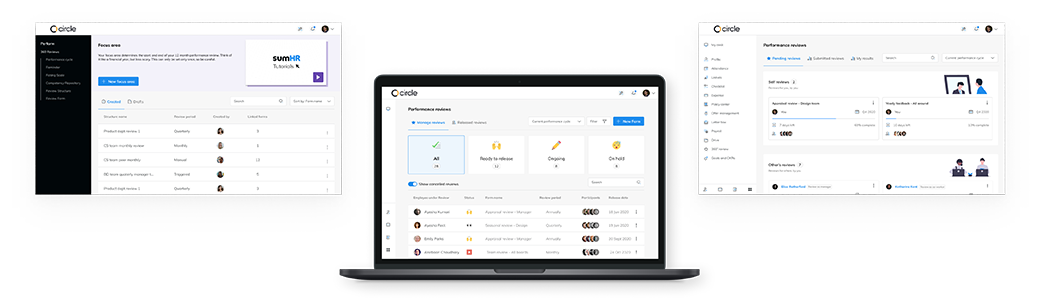
sumHR digitizes and automates HR processes to reduce paperwork, increase employee engagement, and guide HR teams from data to decision. The 360° Performance Review is part of the performance management solution that sumHR provides.
360° reviews provide periodic, multi-level feedback to employees, promoting development and growth in the workplace. They surface crucial data points that help employees and the company grow together, making them an essential tool in the HR toolkit.
The module was actively supporting 15+ companies and their 750+ employees, but HR teams were in constant need of assistance from our customer success (CS) team. Also, the setup process in particular was fully handled by a CS representative even though the platform was built to be self-configurable. There were also complaints of employees being unable to find review forms and, as a result, missing deadlines.
This was an undesirable situation as the platform alone should be able to support the performance review needs and guide the HR managers in making decisions.
I led the design process and worked mostly independently on the project. But regular interaction with a co-designer, manager and engineers allowed for a collaborative process.
The skills displayed in this role were UX design, research, and writing.
Time constraints did not allow for an adequate number of user interviews to be conducted, nor was I able to interview all the different personas.
Lack of time allotted for development also meant certain experiences were left unaltered.
sumHR is used in office work environments across a variety of industries and organizational structures. The platform can be divided into three different regions that serve different personas based on their role in the company and HR team.
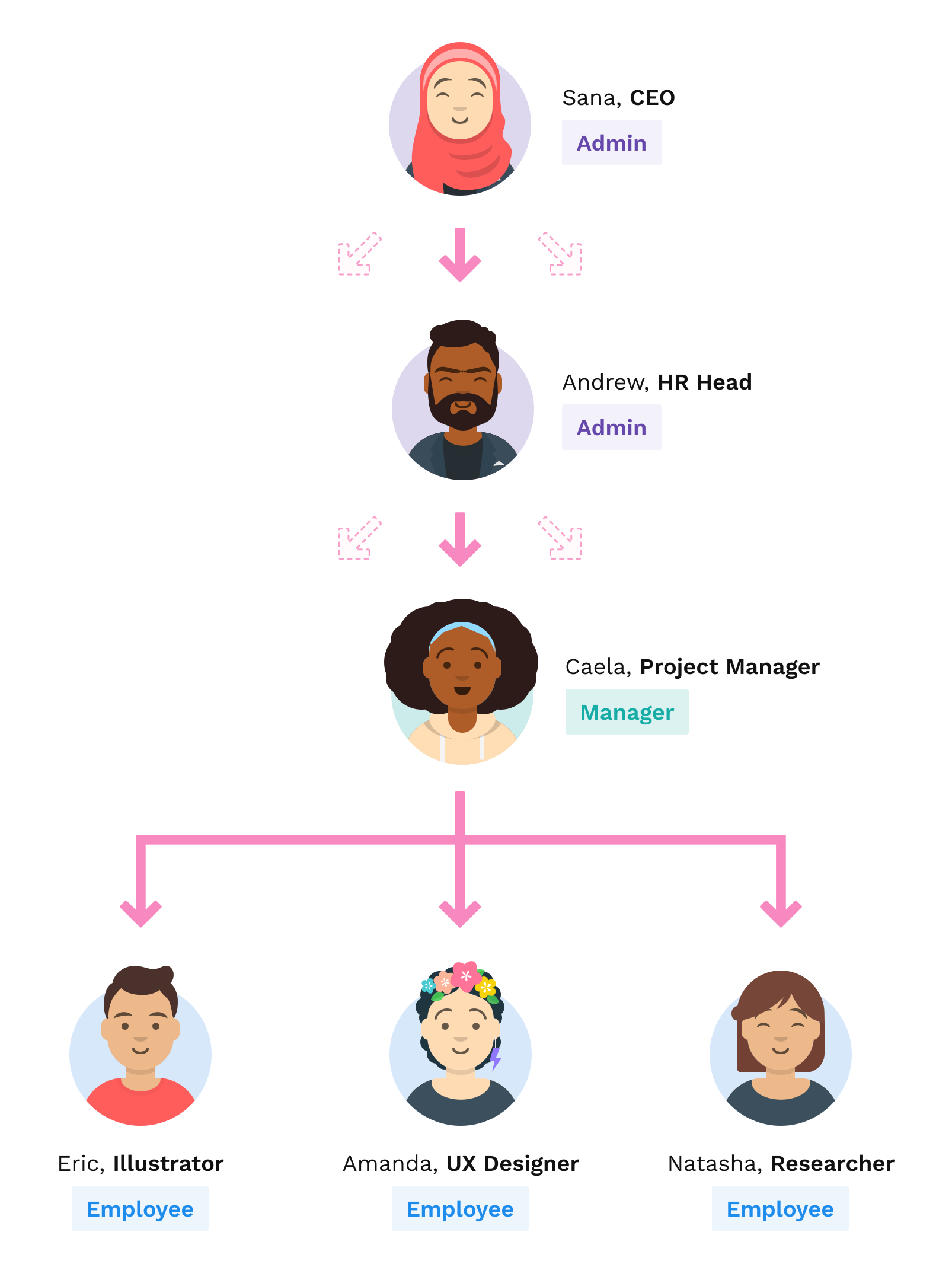
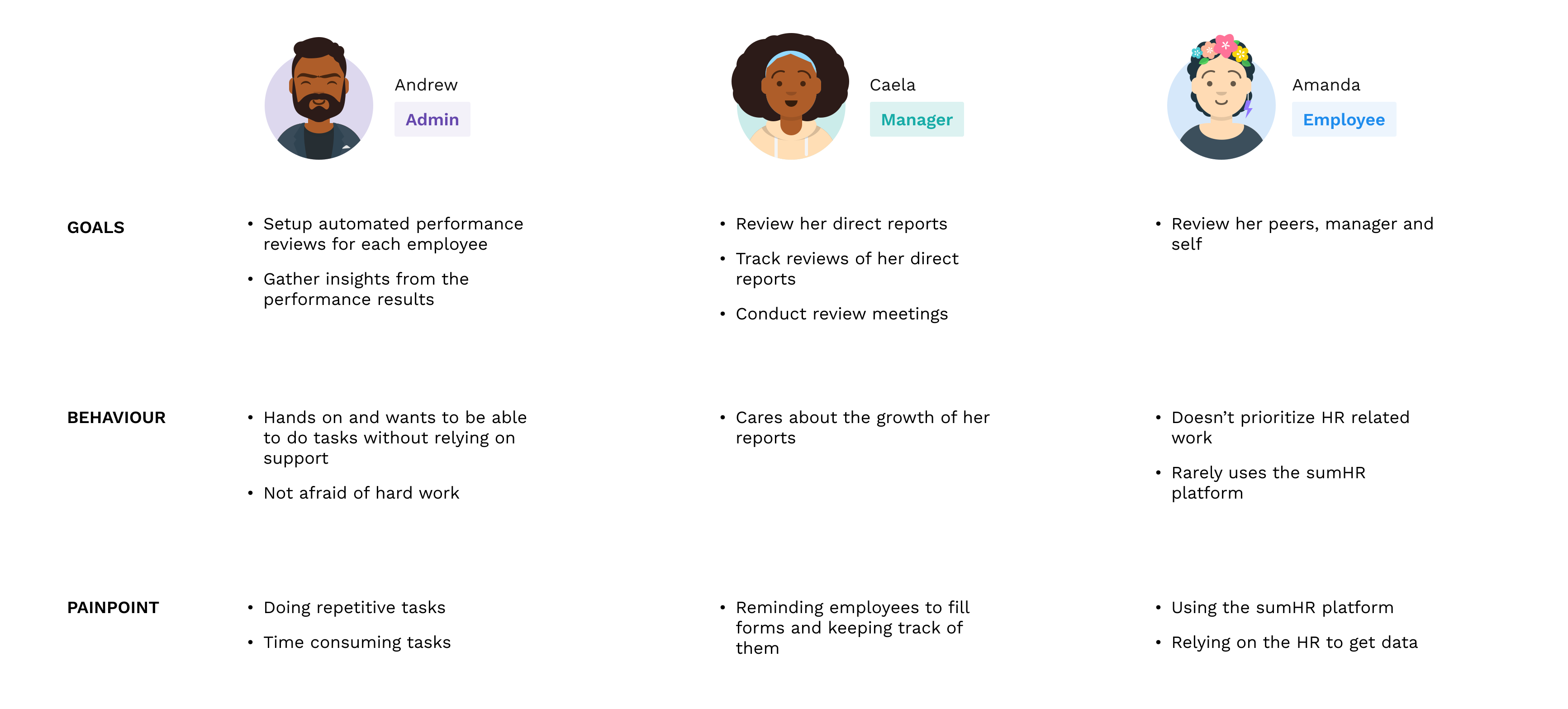
3 global personas were created to be flexible enough to fit across multiple organizational structures: Admin, Manager and Employee.
An example of employees in a small business with their organizational roles alongside the three global sumHR roles are shown in Image 1 above. Image 2 shows a brief of the user personas created.
To better understand the problems being faced by our current customers, I conducted interviews to gather insights from the following key areas:
-
🔎Discoverability: The ease of finding answers to where and how
-
⏳Flexibility: Efficiency in product adapting to company policies
-
🌋Error prevention: Avoiding errors in setting up and operating reviews
-
👉Support: Guidance and support to allow independence
Interviews were conducted with HR admins and the internal support team with reference to the entire performance review experience.
The analysis has been broken down into sections for the 3 personas (Admin, Manager and Employee).
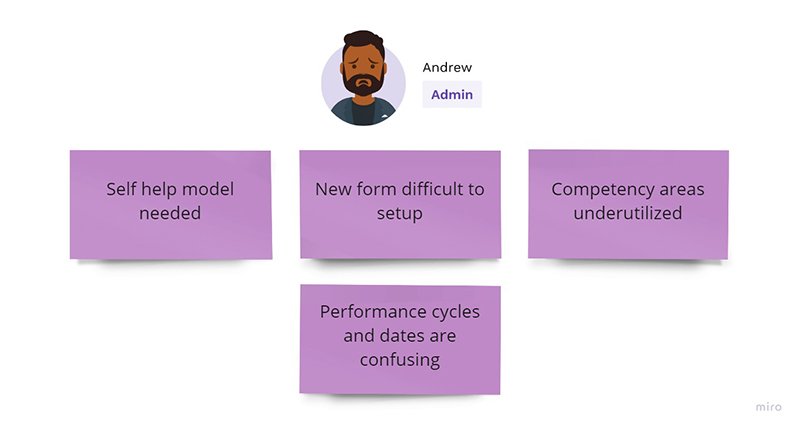
Evaluating the data showed recurring pain points and setbacks in the setup and assignment of performance reviews through the admin panel. The points focused on for this redesign are listed in Image 3.
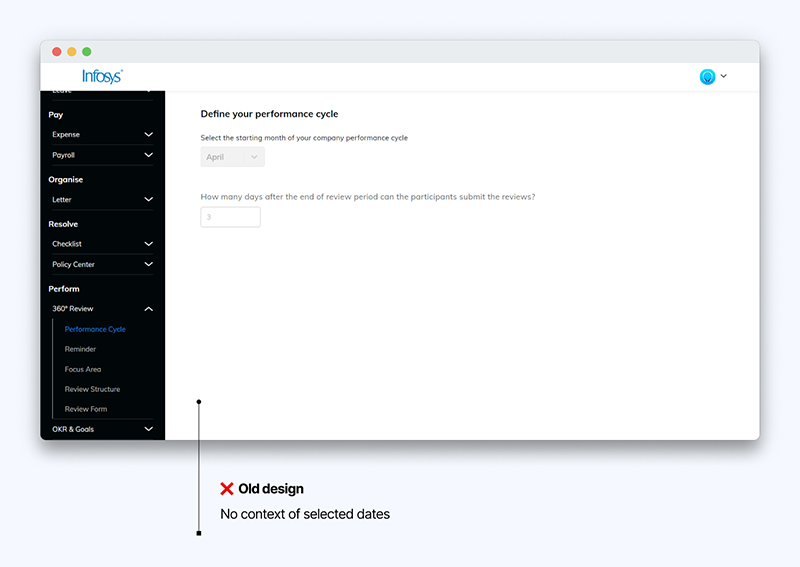
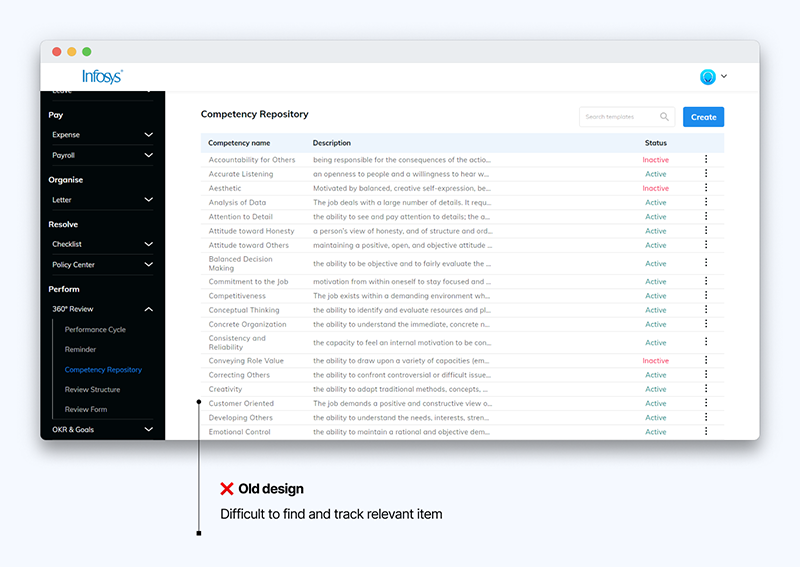
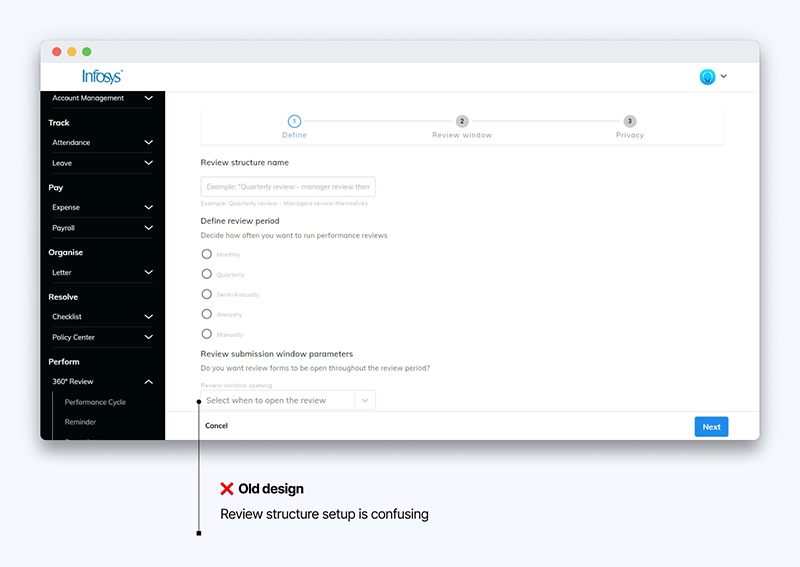
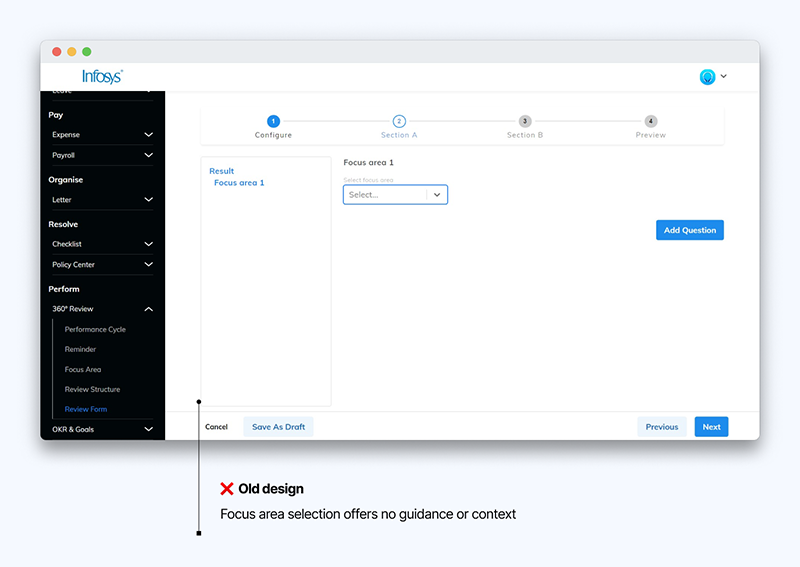
In order to tackle the problems shown in the old design, these solutions were designed.
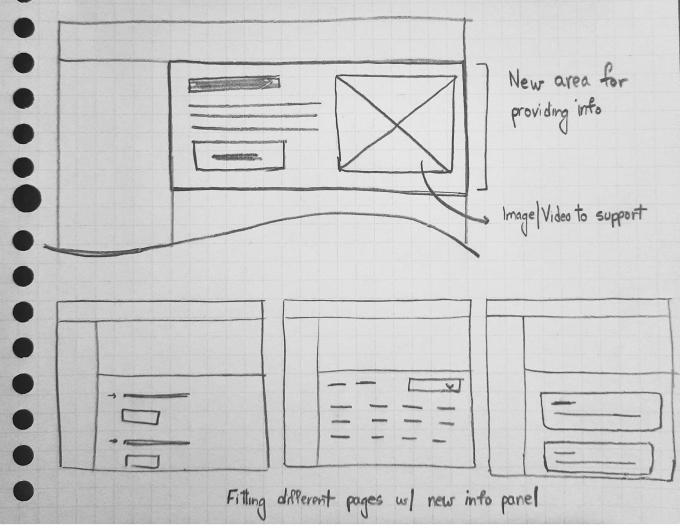
What if we defined an area dedicated to providing instructions and information for each setup section?
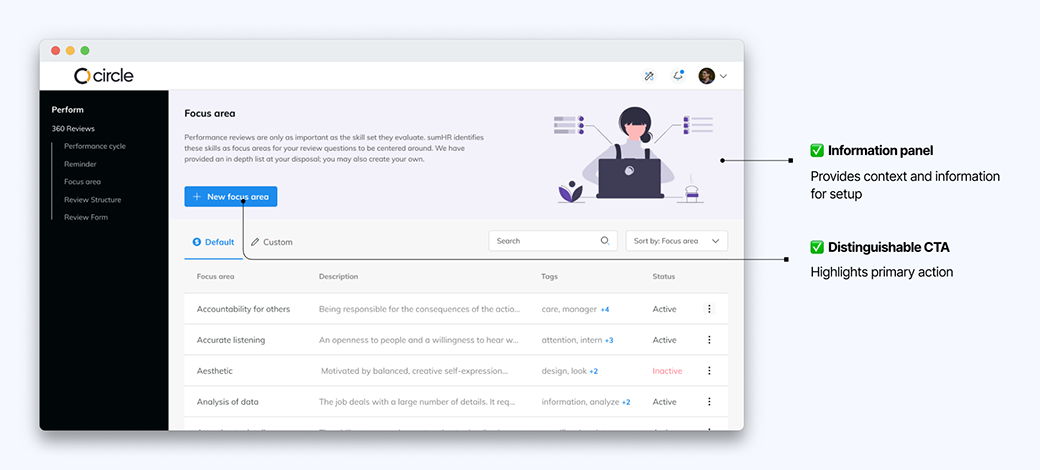
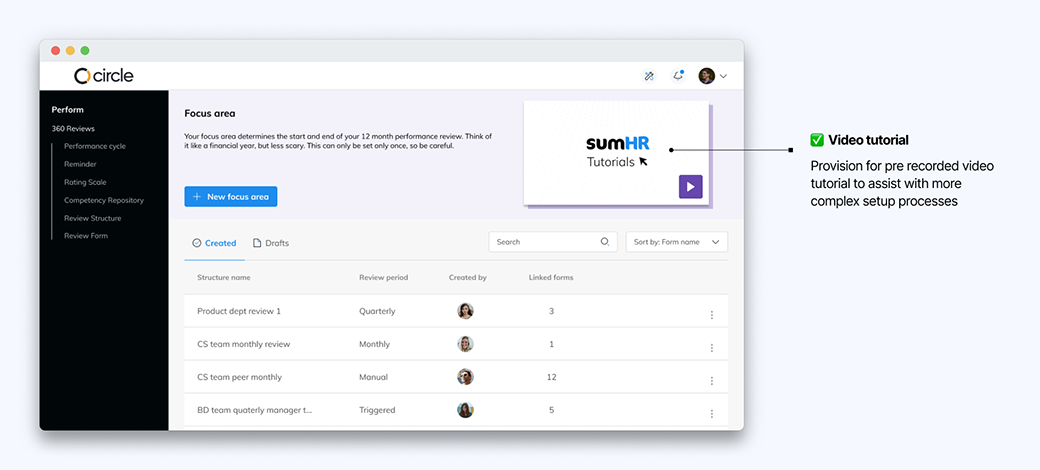
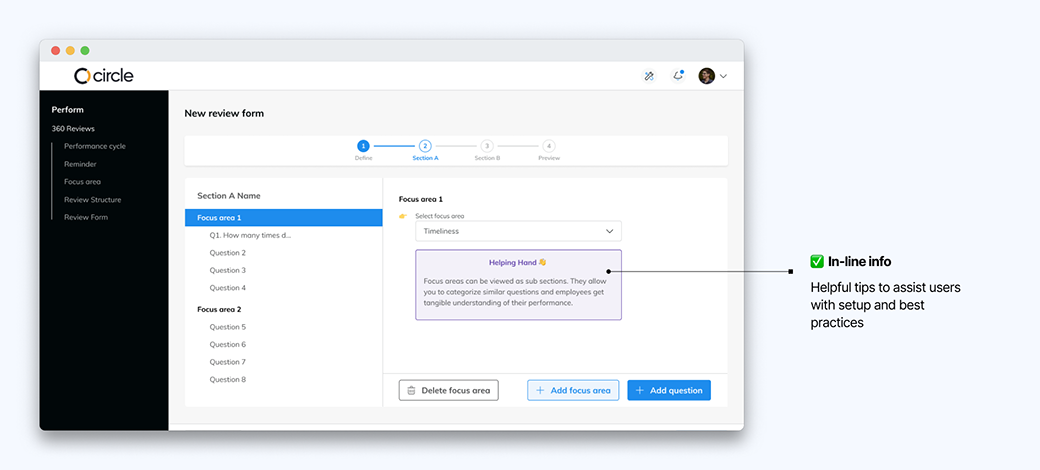
A 'Helping Hand ✋' section was designed to provide in-line information and guidance.
Focus areas help provide insights to the employer and employee on strengths and weaknesses as measured during the reviews. These insights are only available if the focus areas are assigned to the questions correctly.
During the research, it was clear that they weren't being utilized optimally as it was difficult to find the correct focus area, and also since the admins would not be aware of which ones are applicable to each employee.
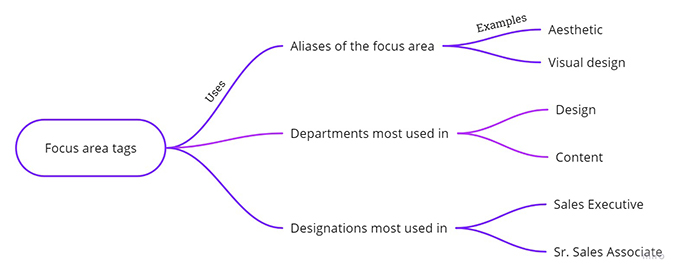
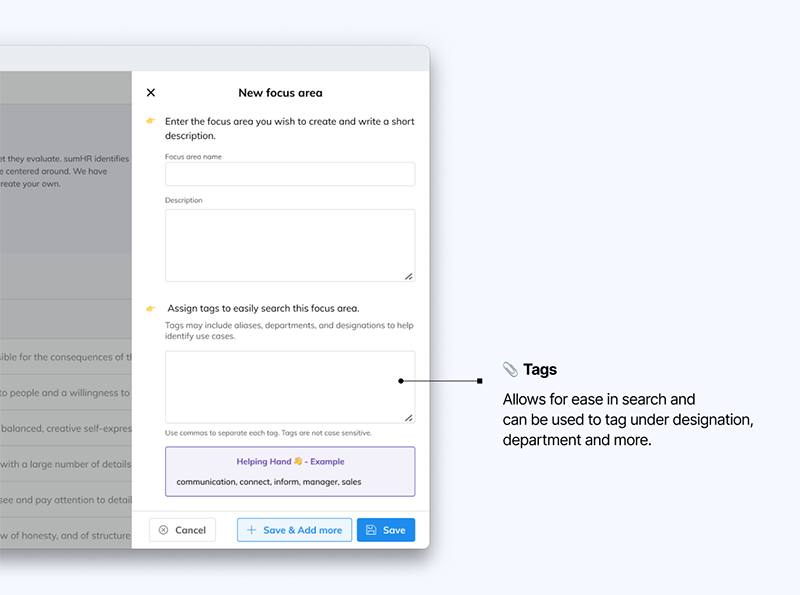
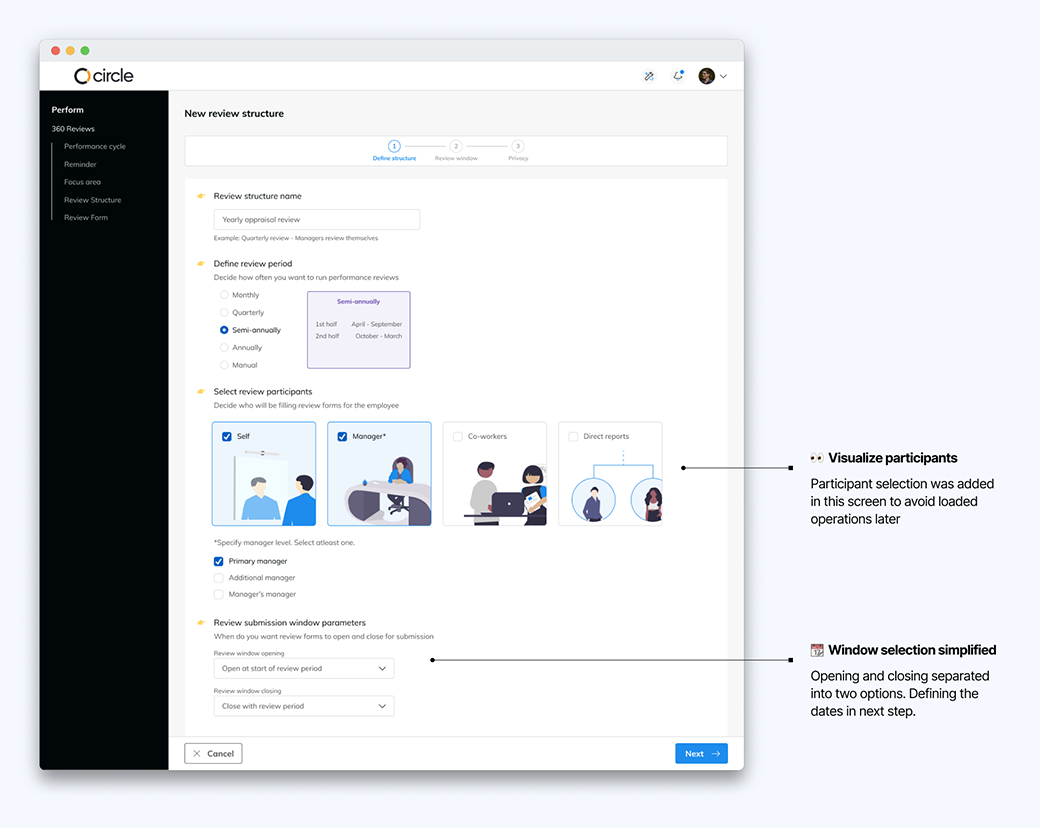
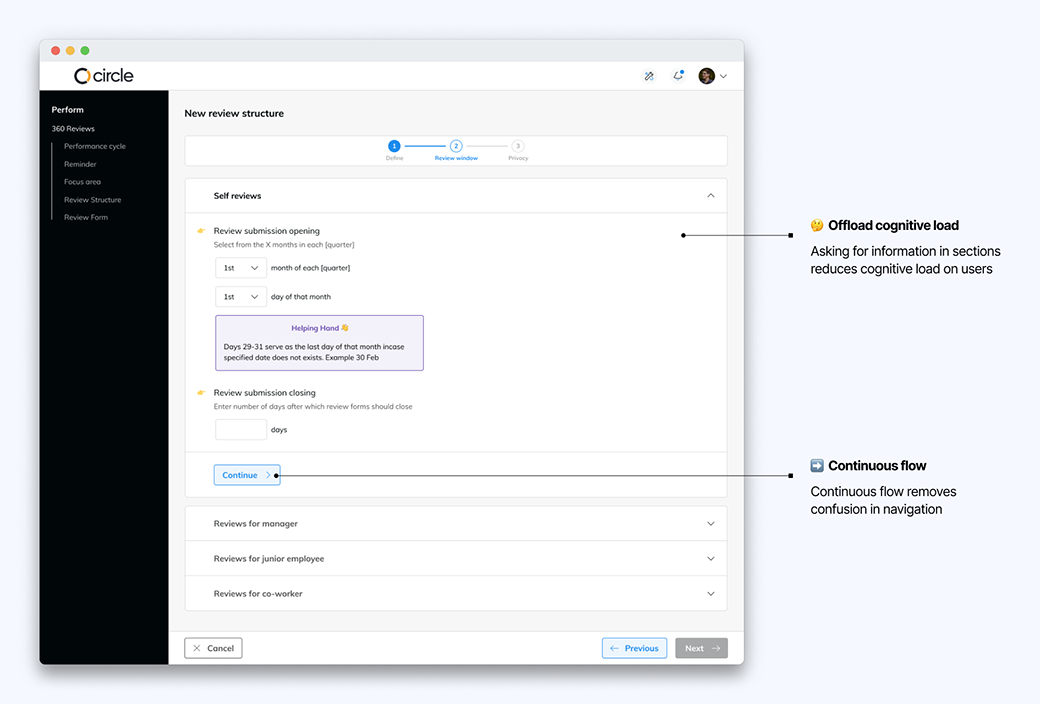
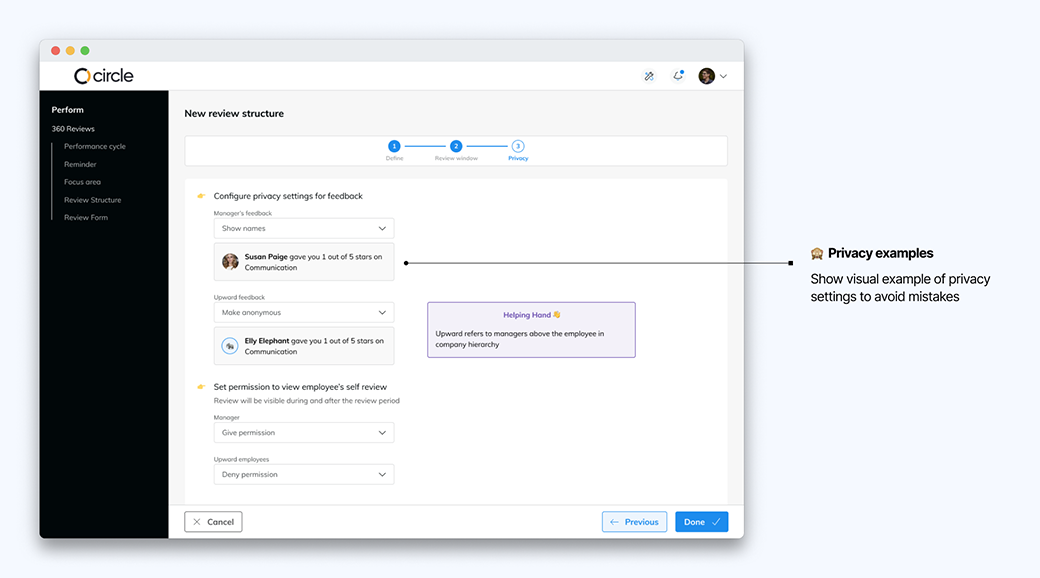
Review structures allow admins to automate processes by setting up a cycle and defining reviewers and privacy guidelines. This only needs to be set up once, which makes it crucial for the process to be error free and smooth.
The content and options provided in the old model were written from a developer’s viewpoint and made it confusing to select the right option.
The new designs I created involved more contextual information to help users understand the implications of their decisions in the setup process.
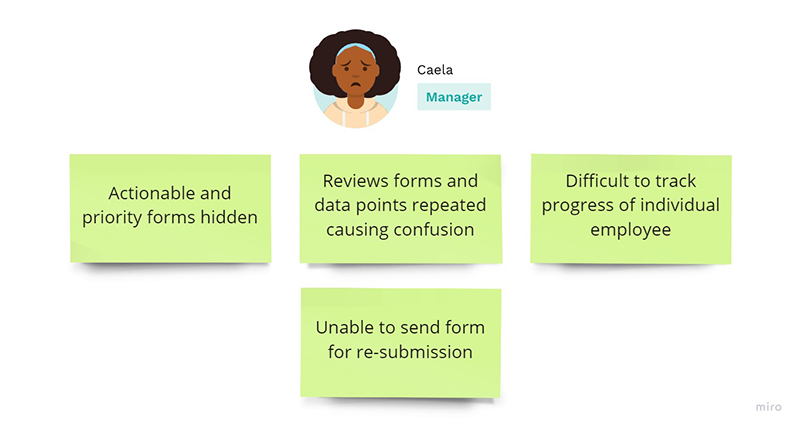
The major drawbacks in the manager section involved processes that would take up a lot of time; time lost due to lengthy and difficult navigation, or in finding the right review form. The points focused on for this redesign are listed in Image 17.
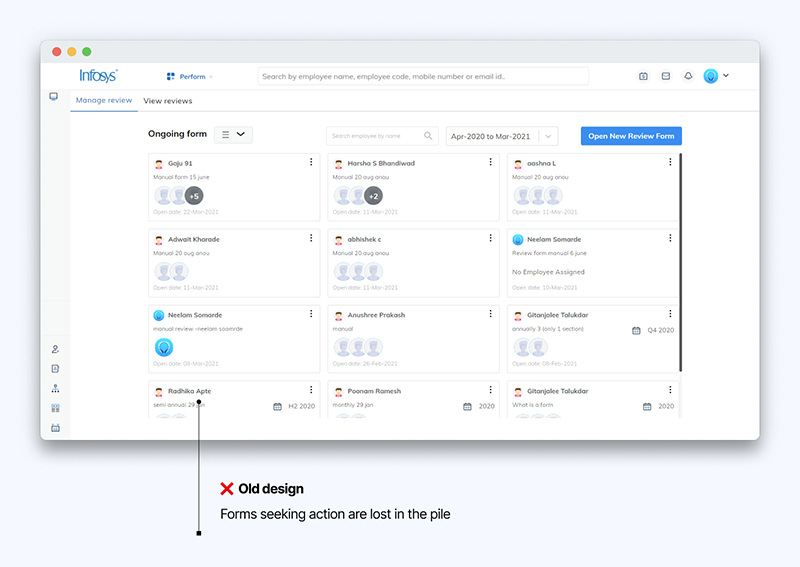
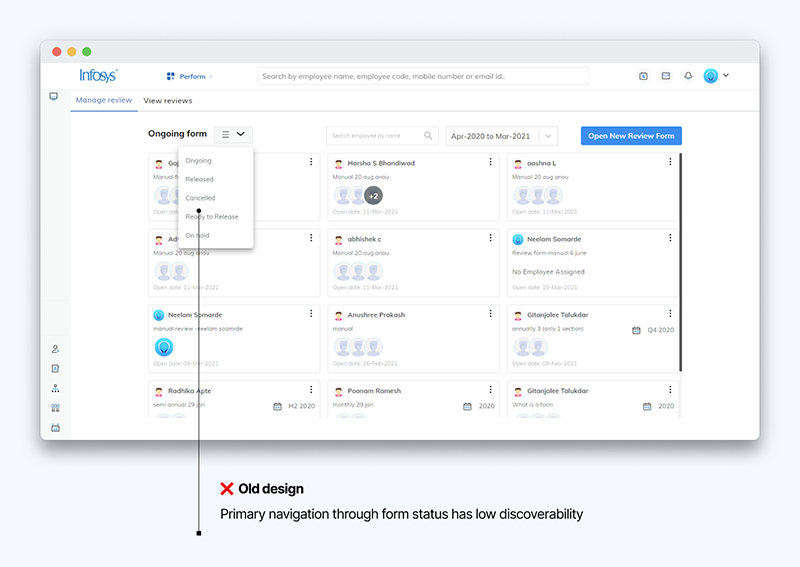
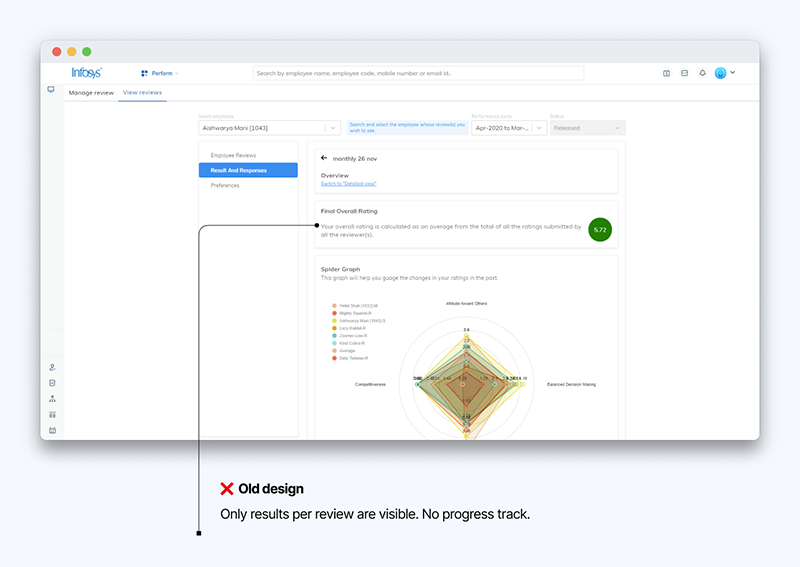
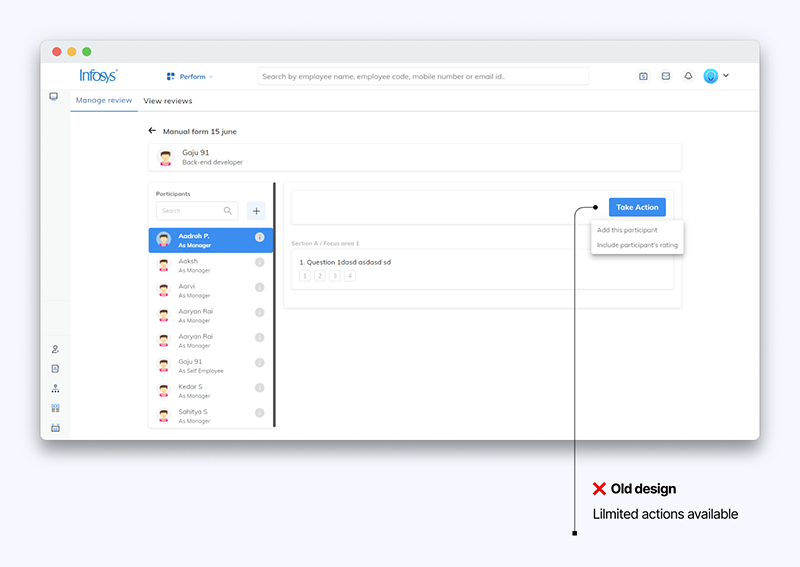
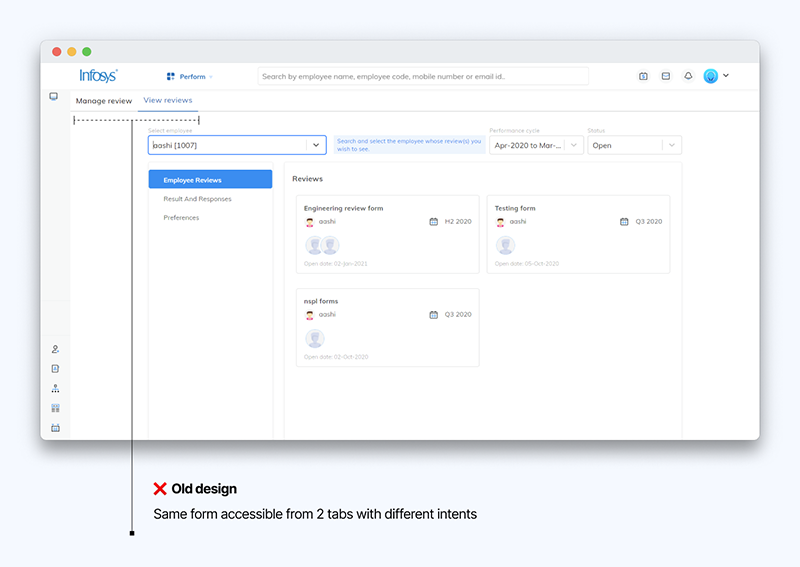
Although the changes look visually drastic, they were mostly about re-prioritizing information. The solutions to the problems faced are listed below.
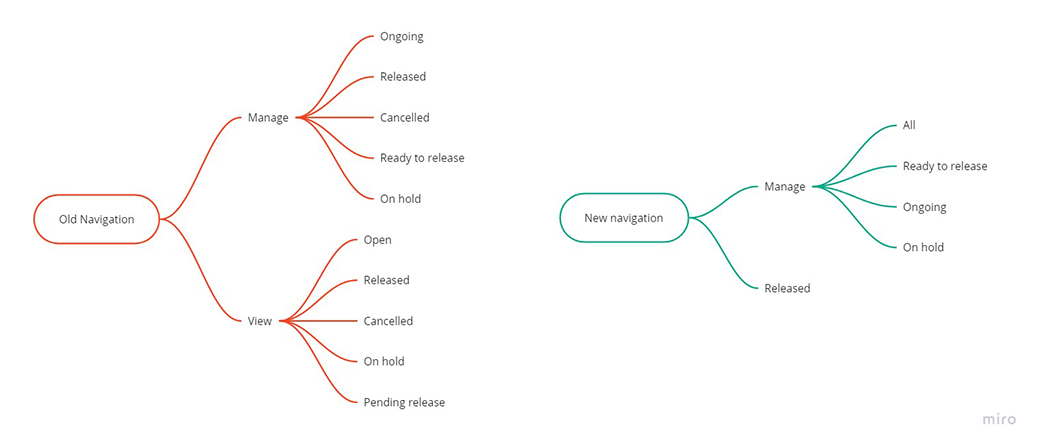
The new design structured reviews into two primary sections: unreleased reviews and released reviews. The unreleased reviews could be navigated through their status, which as determined during research was how managers primarily took action on their forms.
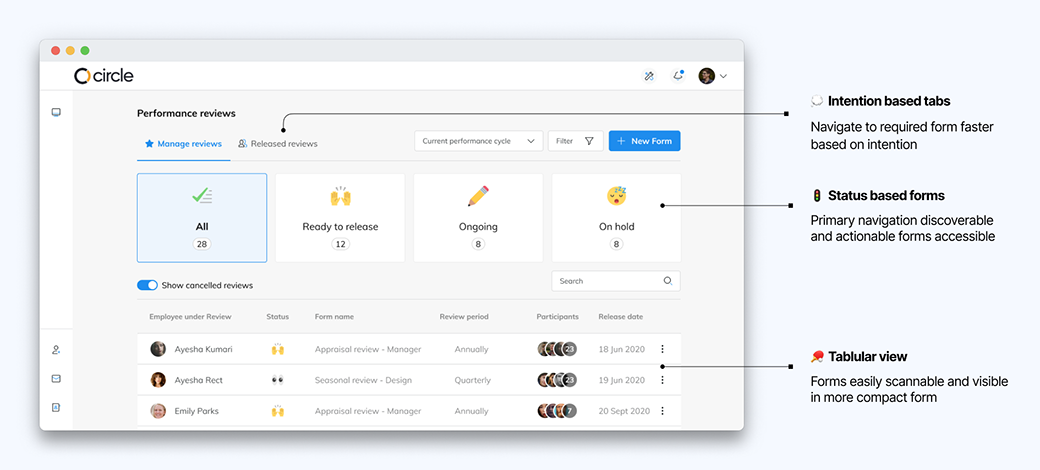
I took the decision to show the review forms in a tabular form instead of as cards since it allows for easier scanning in a much more compact area, allowing for faster operation.
The old design failed to provide managers with access to many desirable actions on the review forms. Irregularities in review submissions were difficult and time-consuming to deal with for both the manager and their direct report.
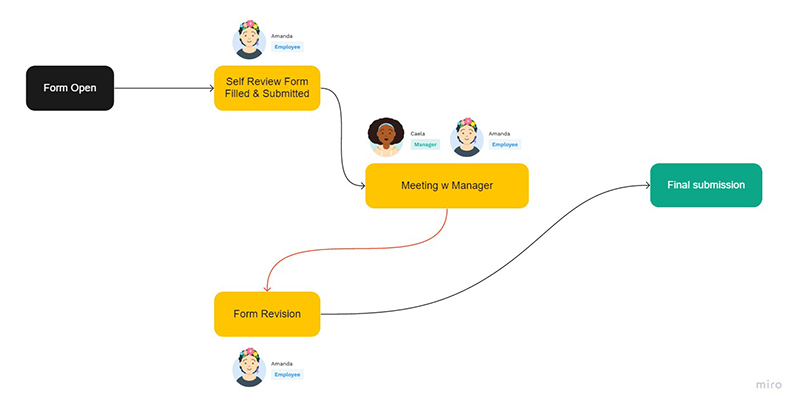
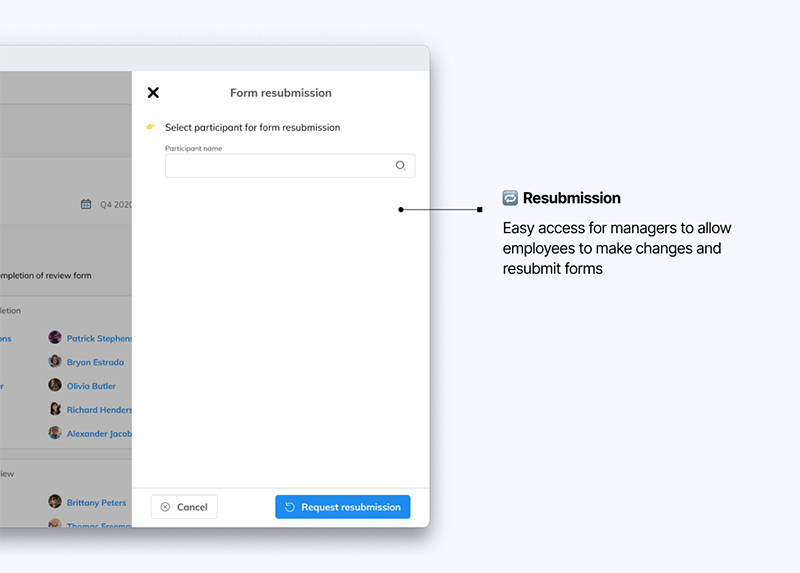
Research showed us that managers often liked to conduct a small meeting with the employees in order to provide feedback on their self review forms. This was crucial for the employees as performance reviews have significant impact on their growth and engagement in the company. Meetings often resulted in changes and updates to the review. To accommodate this, I designed an action that lets managers send forms for resubmission.
Forms sent for resubmission will be editable once again with all the previous data preserved. The employee is notified when this happens. Resubmissions are also useful in scenarios where employees have mistakenly submitted forms or wish to make changes post submission.
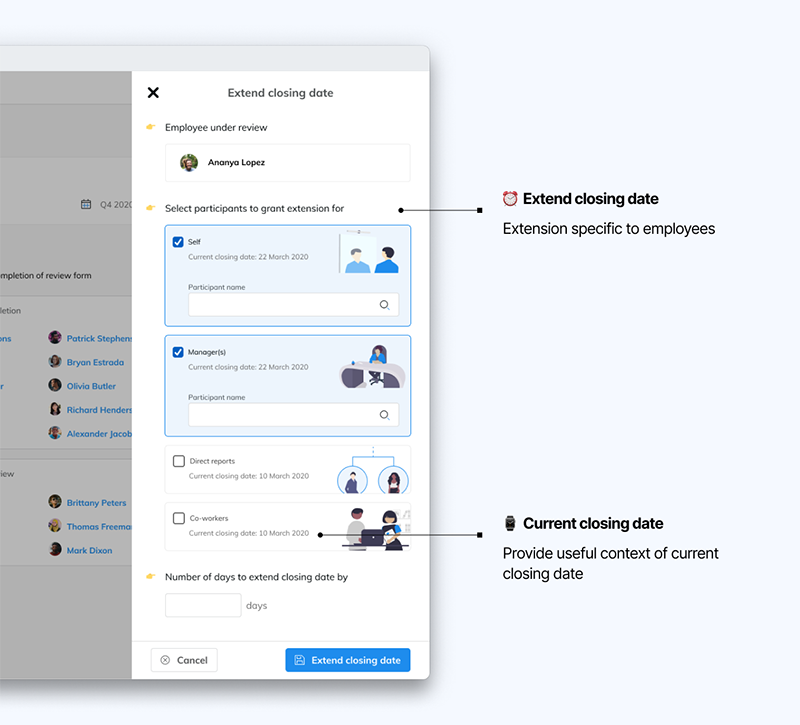
I also designed an action to allow managers to extend form submission past closing dates for specific employees. It was seen as a recurring problem and the lack of option was causing performance reviews to be missed for certain employees.
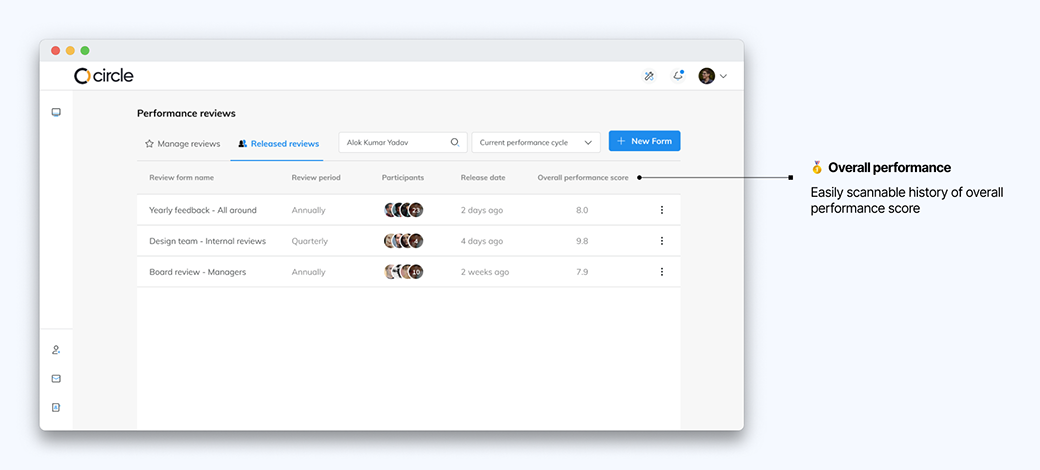
Performance reviews are a tool best leveraged when analyzed over a period of time. Due to the lack of time in development, this feature could not be as extensive, hence a minimal approach was taken.
A new column showcasing the overall performance score would allow for easy scanning and allow managers to observe the trend in their score.
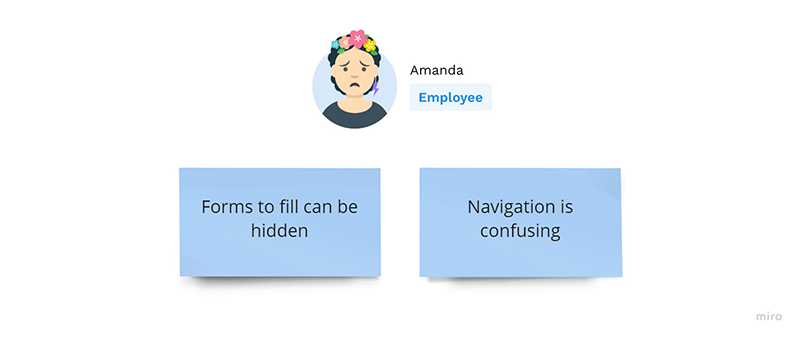
Employees were unable to navigate to the review forms to fill, causing confusion, frustration and missed deadlines. The points focused on for this redesign are listed in Image 29.
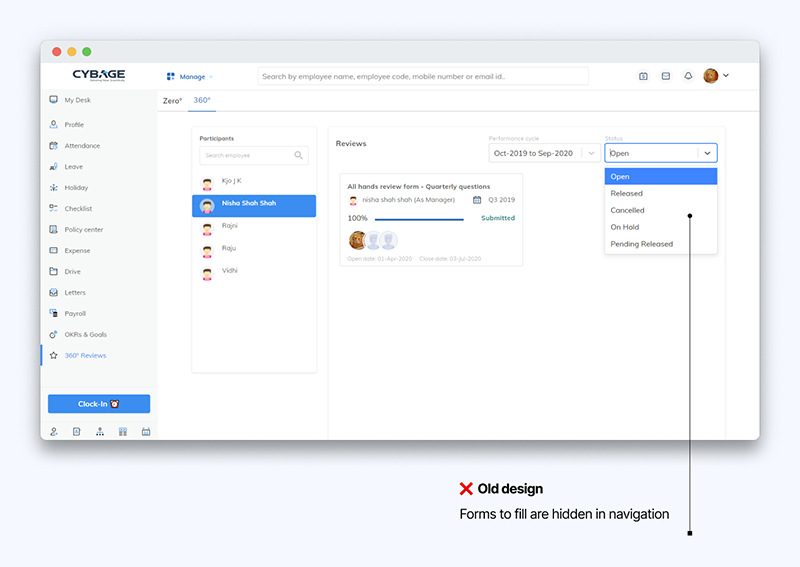
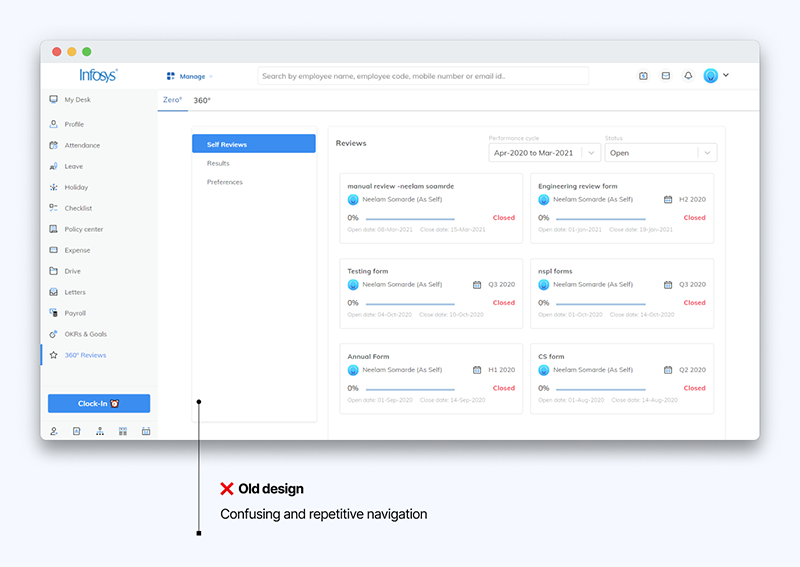
The old model involved a lot of repetitive and sometimes unnecessary data for the employee to navigate through. There were many review forms which the employee cannot take any action on or does not require, which I have removed in the redesign.
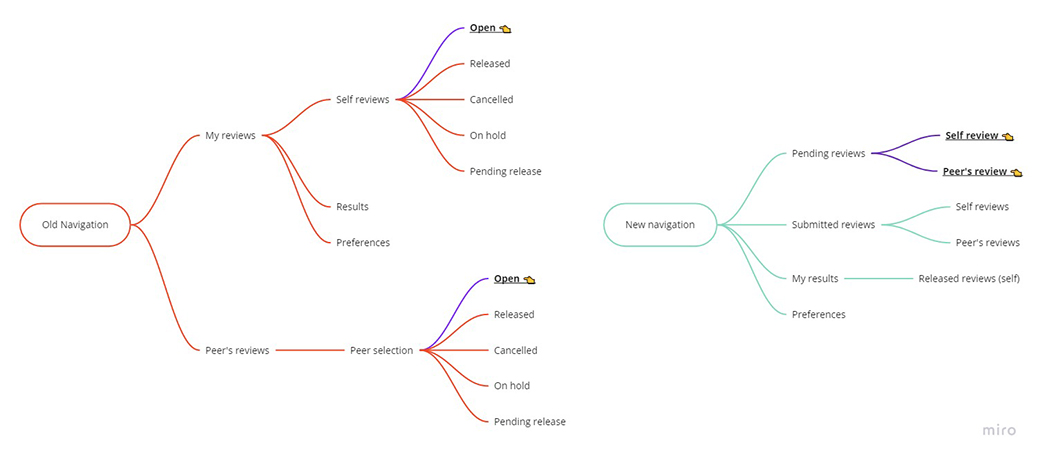
The highlighted branches indicate the most important page for the employee, the page where the review forms pending to be filled are located. The new model brings all the forms to the very first page, effectively making the navigation instantaneous.
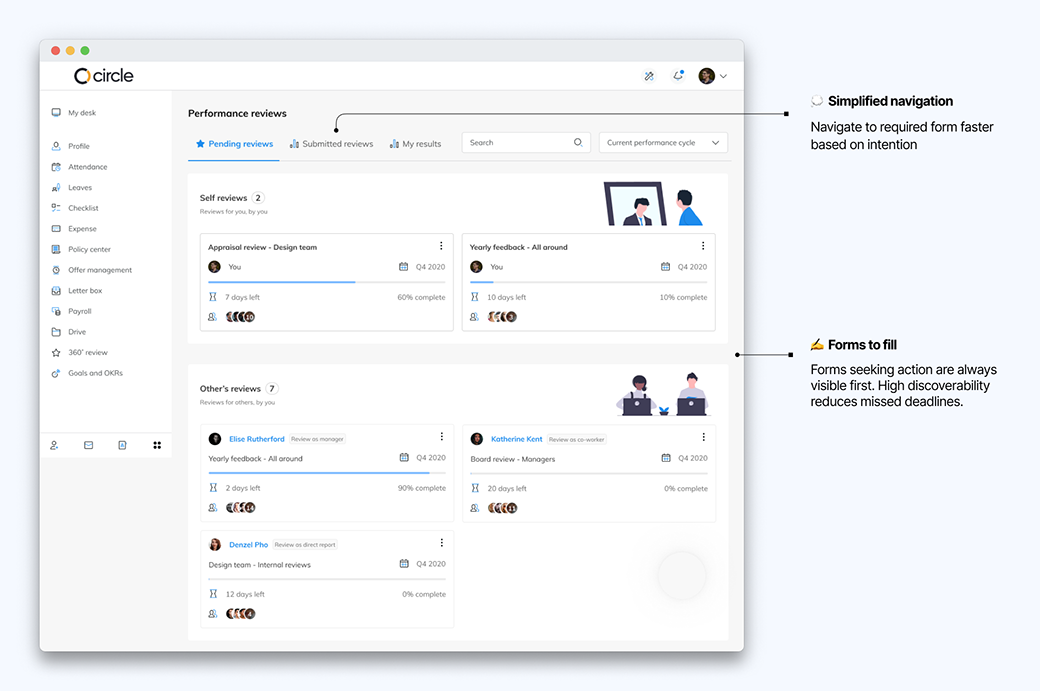
The redesign was well received by customers, and I was able to collect some success metrics shown below.
-
🔎50% decrease in late filled forms
-
⏳50% decrease in support tickets generated per month for form setup
-
🌋30% decrease in time spent on dashboard by managers
There were many changes brought in during this design project that need to be observed and tested to refine over time. Beyond that, there are more ideas to tackle the pain points of our users. Adding automated reminders for employees and data visualization for their generated reports is at the top of the list. There is plenty of space to grow for the platform and with more onboarded users, better decisions will be made on prioritizing the next steps.
👨 Pablo Stanley for Avataaars
💻 Fang-Pen Lin for web editor of Avataaars
🥰 You for reading
